Your bookmarks, the same in every browser
keeps bookmarks in sync between Chrome, Edge, Brave, Vivaldi and Firefox. They're stored in your own Google Drive or on your own server, never on ours.
Coming soon to the Chrome Web Store, Edge Add-ons and Firefox Add-ons.
Free and open source. No account with us, no tracking.
What it does
Add, move or rename a bookmark in one browser, and it shows up in the others within moments.
Syncs as you go
Each change is recorded the moment you make it and sent to your other browsers, like the browser's own sync, but across different browsers.
Storage you choose
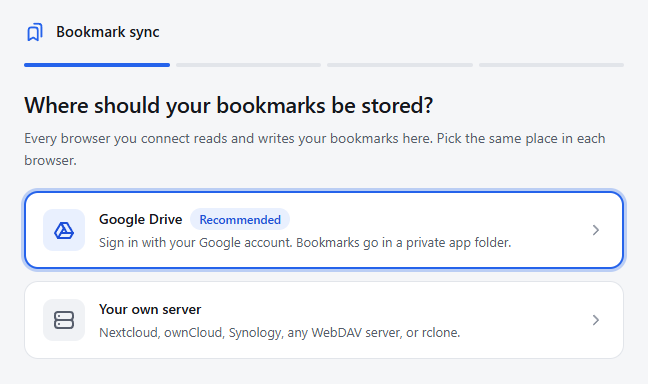
Google Drive, or your own server: Nextcloud, ownCloud, Synology, any WebDAV server, or any cloud that rclone supports.
Merges without surprises
Changes made in two browsers at once are combined by clear rules, so bookmarks aren't lost or duplicated. Big changes ask you first.
History and undo
Go back to how your bookmarks were at any point in the last days, in every browser at once. Going back can be undone too.
Optional encryption
Turn on a passphrase and your storage only sees scrambled data. You can switch it on or off later without losing anything.
Duplicate finder
Finds bookmarks that point to the same page and lets you pick which to keep. Nothing is removed until you choose.
How it works
Setup takes about a minute in each browser.
- Choose where to store your bookmarks. Sign in with Google, or enter your server's address.
- Start a sync in your first browser. Sync all your bookmarks, or just the folders you pick.
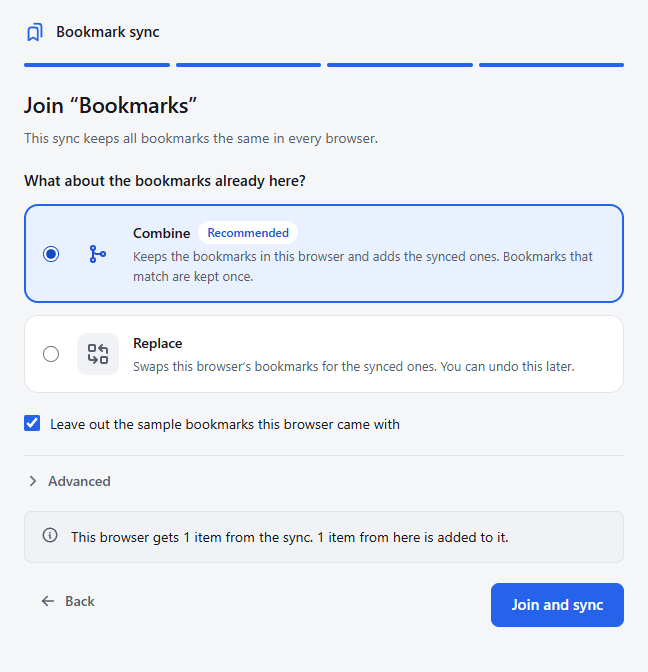
- Join it from your other browsers. Pick the same storage and the extension finds your sync. Keep the bookmarks already there, or replace them.
Your data stays yours
There's no server. Your bookmarks go only to the storage you pick, and nothing is collected, tracked or shared. With Google Drive, the extension can only see the files it creates in a hidden app folder, not the rest of your Drive. Read the privacy policy.